PostDICOM is a cloud PACS, CE Mark Class IIb diagnostic viewer, and medical image sharing platform. No local server. Start with a 7-day free trial.
Card required for verification · No charges today · Cancel anytime during your trial

Certifications & Compliance
Products
PostDICOM combines four complementary products into a single cloud subscription — no separate licensing, no integration work, no additional vendor relationships.
A fully managed cloud archive for all your DICOM studies. No server, no maintenance, no IT department — PostDICOM handles hosting, retrieval, and uptime.
Learn more →
A CE Mark Class IIb zero-footprint HTML5 viewer with MPR, 3D volume rendering, MIP, MINIP, measurements and reporting. Runs in any browser.
Learn more →
Replace CDs and courier deliveries with instant, password-protected share links. Recipients open studies in their browser — no account or viewer installation required.
Learn more →
Build and share DICOM teaching libraries. Assign cases to students, attach reports and videos, and track progress — across a single department or an entire university.
Learn more →
Solutions
PostDICOM supports 15 specialized medical imaging workflows—including radiology, teleradiology, dental & CBCT, orthopedics, veterinary medicine, pain management, and mobile radiology. From clinical research centers and urgent care clinics to universities and law offices, each environment benefits from dedicated cloud PACS features and customized pricing models.
Why PostDICOM
No — PostDICOM runs entirely in the cloud on Microsoft Azure, with nothing to install on-premise and no hardware to purchase. PostDICOM handles uptime, backups, and infrastructure.
Yes — the PostDICOM HTML5 viewer holds CE Mark Class IIb medical device certification, making it suitable for primary diagnostic reading. MPR, 3D volume rendering, MIP, measurements and reporting all run in any modern browser.
The Medical Device Communicator connects your X-ray, MRI, CT, and other DICOM devices directly to PostDICOM and routes studies to the cloud automatically after acquisition. No manual export, no USB drive, no CD.
Generate a password-protected, time-limited share link for any study or folder in seconds and send it by email. The recipient — a patient, referring physician, or specialist — opens the study in their browser with no account and no additional software to install.
You choose where your data is stored from 12 Microsoft Azure regions across EU, USA, UK, Switzerland, Canada, Asia-Pacific, and South America. Data stays within your selected jurisdiction.
Yes — every plan starts with a full-featured 7-day free trial with a card required for verification — no charges today. Explore every feature of your chosen plan before you commit to anything.
How It Works
Most practices are live within the hour — install the Medical Device Communicator on your network, connect your imaging devices, and studies route to the cloud automatically after every acquisition.
Install the Medical Device Communicator on your network. It connects your X-ray, MRI, CT, and other DICOM devices to PostDICOM. Studies route to the cloud automatically after every acquisition.
Open any study in the PostDICOM CE-certified diagnostic viewer from any modern web browser. Manage patient orders, folders, and user permissions from a single web interface — in any modern browser.
Generate a password-protected link and send it to the patient, referring physician, or specialist by email. They open the full study in their browser — no PostDICOM account and no viewer installation required at their end.
What Customers Say
"PostDICOM is the ideal PACS SaaS solution. High availability, security, easy installation, and unlimited scalability — everything you need in one platform."

"Simply the current best Cloud PACS solution for clinical practice, teaching, and research. I use it daily and recommend it to every colleague looking for a modern imaging platform."

"Really useful to assign cases into individual folders and share them with colleagues. The support team are extremely responsive — issues are resolved the same day."

"Continually impressed with the service, features, speed, and support. PostDICOM has allowed us to build imaging workflows we simply couldn't have managed with traditional PACS."

"One of the best things about PostDICOM is the impeccable customer service. Every request is handled promptly and professionally."

"A state-of-the-art solution for the transmission of medical images. A reliable tool with excellent support that I would recommend without hesitation."

Pricing
Most practices choose Premium — the right balance of storage, users, and device integrations for a growing clinical team.
Individual radiologist or specialist
Store and access your studies from any device, share cases with patients and colleagues, and view images with a full-featured diagnostic viewer — no hardware or IT setup required.
Small to medium imaging centre
Connect your CT, MRI, or X-ray devices to automatically route studies to the cloud. Manage your team's access and share cases with referring physicians instantly.
Multi-physician group or specialty centre
Advanced collaboration tools for teams that present cases at tumor boards, receive patient uploads, and need live annotation capabilities for remote consultations.
Multi-site network or large diagnostic group
Full API and FHIR integration for hospital networks. Connect PostDICOM to your EMR, route studies from multiple sites, and scale users as your organisation grows.
For hospitals, multi-site networks, and enterprise accounts
Tailored to your organisation's unique requirements. Choose your storage capacity, number of users, and feature set — with dedicated support, custom SLAs, and flexible deployment options to match your infrastructure.
Data Sovereignty
Yes — when you create your PostDICOM account, you select your primary storage region from 12 independent Microsoft Azure jurisdictions, and your data is stored within that region in line with our data residency architecture.
View full security & compliance details →Microsoft Azure Backbone
European Union
Frankfurt (Germany)
Paris (France)
United States
New York City
Los Angeles
Dallas
United Kingdom
London
Switzerland
Zurich
Canada
Montreal
Asia & Pacific
Singapore
Sydney (Australia)
Pune (India)
South America
São Paulo (Brazil)
From the Blog
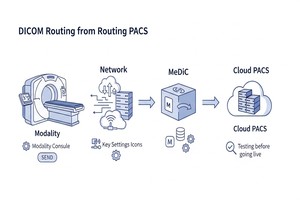
MeDiC
If you run a clinic, imaging center, mobile radiology service, or a small diagnostic practice, getting studies from your imaging devices into a cloud PACS should feel routine, not risky. In reality, routing can be confusing because the steps live in three different places at once: your modality console, your network, and your PACS destination settings.
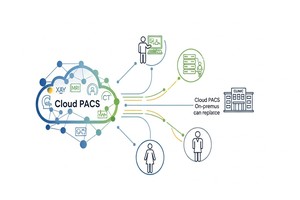
Cloud PACS
Picture this. It’s Monday morning. The waiting room is already awake, your tech is juggling two patients, and someone asks the question every clinic owner secretly dreads: “So… are the images showing up?”
 - Created by PostDICOM-300200.jpg)
PACS Security
PACS security usually fails in a boring way. Not with a dramatic “movie hacker” moment, but with a reused password, an overpowered user role, a share link that lives forever, or a quiet export that nobody notices until someone asks, “Why is this study in the wrong place?”
FAQ
The zero-footprint Advanced HTML5 Viewer and most PostDICOM features run entirely in modern web browsers — no installation required. To automatically send studies from traditional imaging devices such as CT, MRI, or X-ray machines, you install the Medical Device Communicator on a local workstation at your site. This is a lightweight application, and setup typically takes under an hour.
PostDICOM supports both DICOM and non-DICOM files. Supported formats include DICOM studies from all standard modalities (CT, MRI, X-ray, Ultrasound, PET). To provide a complete clinical overview, you can also store and attach clinical reports, patient photos, and MP4 surgical videos, JPEG, PNG, and PDF formats. All files are stored securely in your selected Azure region.
Yes, absolutely. We support both traditional and modern connectivity standards to integrate seamlessly with your current setup:
Yes. When you create your PostDICOM account, you select your primary storage location from 12 independent Microsoft Azure regions: EU (Frankfurt, Paris), USA (East, West, South Central), UK (London), Switzerland (Zurich), Canada (Montreal), Asia-Pacific (Singapore, Sydney, Pune), and South America (São Paulo). Your data is hosted within your selected jurisdiction to help you meet local data residency requirements and comply with regional healthcare privacy laws (such as GDPR or HIPAA).
Yes, absolutely. Our Cloud PACS architecture is designed specifically to unify workflows across multiple locations. By deploying a Medical Device Communicator at each physical site, all imaging data routes securely into one centralized cloud account, giving you a complete overview of your entire network.
For larger organizations, we offer Location Add-ons that unlock critical custom features:
You receive full, unrestricted access to all features included in your selected plan so you can test the platform with your own data. Card required for verification — no charges during the trial. You can easily cancel from your dashboard at any time before the 7 days expire without being billed. If you do not cancel, your trial will automatically convert into your chosen paid subscription at the end of the 7 days to ensure uninterrupted service.
Traditional on-premise PACS require significant Capital Expenditure (CapEx) — server hardware, cooling infrastructure, software licenses, and dedicated IT staff. PostDICOM operates on an Operational Expenditure (OpEx) model: a predictable monthly or annual subscription that includes storage, viewer access, security updates, and maintenance. This eliminates large upfront costs and converts imaging infrastructure into a manageable, scalable operating expense.
Yes. Live Presenter Mode (available on Premium and Enterprise plans) allows physicians to draw dynamic annotations directly on DICOM slices during tumor board meetings, remote consultations, or medical classes. Annotations fade automatically, functioning as a digital laser pointer without cluttering the image. PostDICOM also offers a dedicated Medical Image Teaching product for creating structured teaching libraries and courses.
Yes, we strongly recommend it. PostDICOM utilizes enterprise-grade Microsoft Azure infrastructure, which maintains multiple redundant copies of your files within your selected region for platform reliability. While this protects against hardware failures, it is not a point-in-time backup service. If a user permanently deletes data from your account, it is removed from the servers and cannot be recovered. To comply with healthcare data retention best practices, you should always maintain an independent, secondary archive of your patient data.
A Cloud PACS (Picture Archiving and Communication System) is a modern medical imaging platform where the storage, processing, and distribution of DICOM images are securely hosted on remote cloud servers rather than on-premise hardware. Instead of purchasing and maintaining expensive local servers, clinics and hospitals subscribe to a Software-as-a-Service (SaaS) solution. The cloud platform securely stores all patient imaging data, provides a zero-footprint diagnostic viewer, and manages seamless sharing and routing — all accessible directly through modern web browsers.
On-premise PACS requires physical server hardware, dedicated IT staff, and significant upfront capital investment. Software updates, storage expansions, and disaster recovery are the responsibility of the clinic. Cloud PACS like PostDICOM eliminates the hardware entirely — PostDICOM manages infrastructure, security, and updates. Costs shift from capital expenditure (CapEx) to a predictable subscription (OpEx), and the system is securely accessible through modern web browsers without requiring a complex VPN or local network connection.
PostDICOM supports DICOM studies from all standard imaging modalities including CT, MRI, X-ray (CR/DR), Ultrasound, PET, PET-CT, Mammography, Nuclear Medicine, and Fluoroscopy. To provide a complete clinical overview, PostDICOM also allows you to store and view non-DICOM files alongside the patient's imaging studies, such as clinical reports, patient photos, and MP4 surgical videos, JPEG, PNG, and PDF formats.
A zero-footprint DICOM viewer runs entirely in a standard web browser with no additional software installation, plugins, or local storage required. PostDICOM's Advanced HTML5 Viewer is zero-footprint — a radiologist, referring physician, or patient can safely open a DICOM study on compatible PCs, Macs, and tablets by visiting a secure link. This makes it highly accessible while maintaining strict security and regulatory compliance.
Yes. PostDICOM is designed specifically for secure remote access. Using our zero-footprint Advanced HTML5 Viewer, radiologists can open and review studies directly from modern web browsers — no complex VPNs, no local software installations, and no dependency on an internal hospital network. This architecture seamlessly supports teleradiology workflows, on-call remote reporting, and collaborative multi-site reading environments.
PostDICOM offers transparent, scalable pricing to fit clinics and hospital networks of all sizes. You can choose flexible month-to-month billing or an annual subscription, which saves you up to the equivalent of 2 months of service.
All standard plans include a risk-free 7-day free trial so you can test the platform with your own data.
Yes. All plans include a 7-day free trial with full access to your selected plan's features. A card is required at sign-up for verification — you are not charged until your 7-day trial expires, and your subscription auto-renews unless cancelled. You can easily cancel any time before the trial ends.
Card required for verification. No charges today. Cancel anytime during your trial. Auto-renews unless cancelled. No additional software to install for viewing or sharing. Simply connect your imaging devices via our lightweight communicator and start your cloud workflow in minutes.